dani.go
Your places. Your plans. One travel app.
Travel inspiration doesn’t arrive in order. A video comes before a destination. A restaurant comes before a date. Reservations arrive in separate emails, and the group conversation takes on a life of its own.
dani.go gives those pieces somewhere to come together. Library holds the sources you add — a saved video, an article a friend sent — and dani identifies the places inside them, so the inspiration comes with somewhere to go. Clip Books hold the ones you keep: a city, a food crawl, a future trip, browsed as photo cards or on a map, narrowed with filters. None of it needs a trip first. My Places works before you’ve chosen a destination or a date.
When you’re ready, the Timeline turns them into days. Search in plain language, pull a place out of a Clip Book, or add an item by hand. Flights, stays, meals and activities go in order, each with a time you can change, and the day’s places show up on a map.
Already booked? Import the confirmation email, the PDF, the screenshot or the plain-text note. Dani reads it and detects the trip details; you review what was found, correct anything that’s wrong, and confirm before it joins your Timeline. Importing a reservation never makes or changes the booking itself.
The Vault keeps the rest: reservations and expenses drawn from your itinerary, plus a packing list, wish list, documents, budget and receipts. Your packing checklist stays private to you even on a shared trip. Group brings your companions in with Admin, Planner and Viewer roles, a vote for when there are too many good options, and a chat that lives inside the trip. Memories gathers the entries you wrote along the way, and is in open beta while we refine it.
dani.go is a travel app for iOS and Android, with a desktop version you can use today — in your browser at dani-go.com, or as a macOS or Windows download. The mobile apps have not launched yet.
How it works
Save
Add a video, article or link to your Library and dani finds the places inside it. Search in plain words. Keep the good ones in Clip Books — no trip, destination or date required.
Plan
Choose a day on the Timeline and give each stop a time. Pull places from a Clip Book, from search, or add them by hand, then rearrange as the plan changes.
Organize
Import what you’ve already booked and review it before it lands. Keep packing lists, documents and trip essentials in the Vault, and bring your companions into the same plan.
Key Features
The spark can come from anywhere
A video you saved. An article a friend sent. A list you want to come back to. Add a source to your Library and dani reads it, identifies every place mentioned inside, and resolves each one to a real venue with photos, ratings and reviews. The source stays with your research, so you can always go back to where the idea came from.
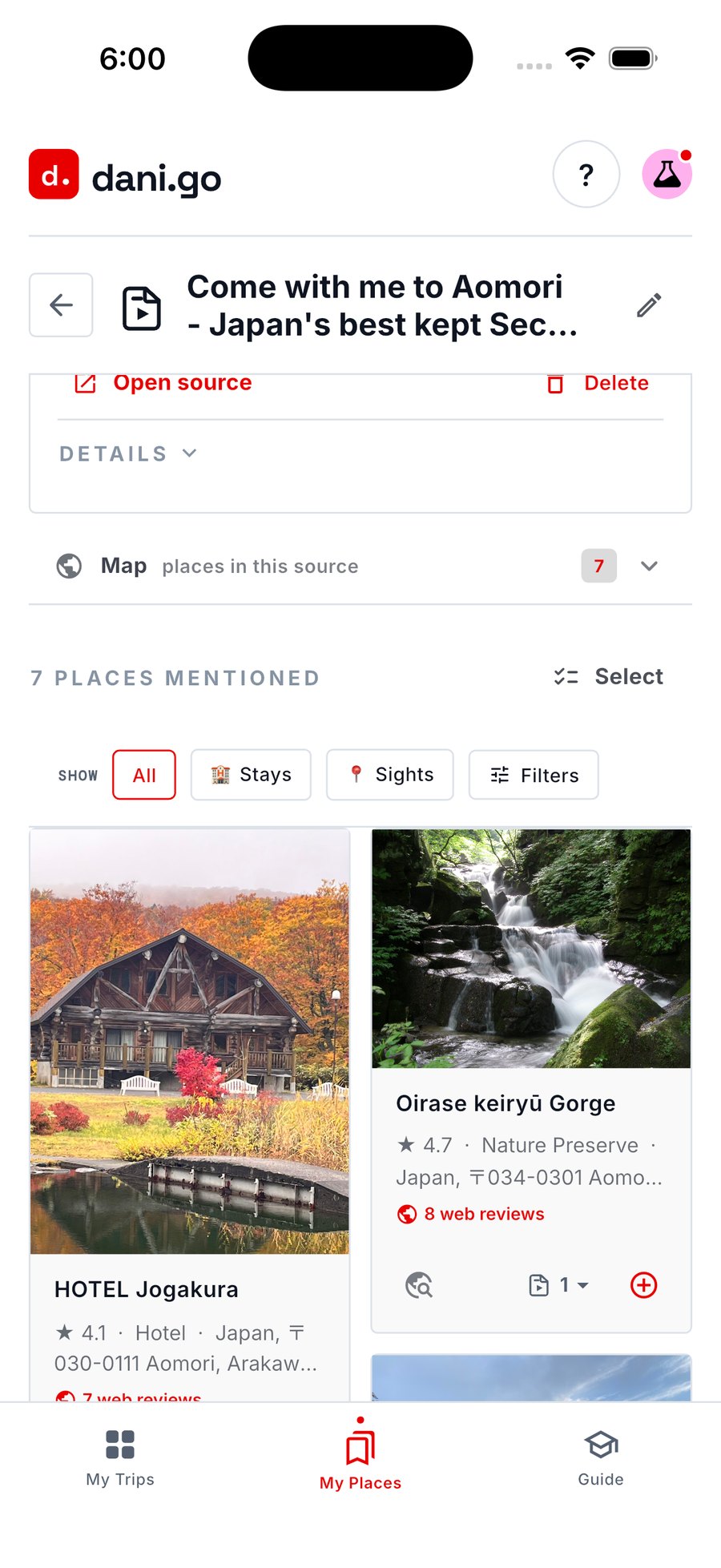
A saved YouTube source in Library, with the seven places dani found inside it
Clip Books — keep the good ones
Build a Clip Book for a city, a food crawl, a future trip, or simply places you love. Browse what you’ve saved as photo cards or on a map, narrow it with filters, sort it, and open any place for photos, ratings and reviews. A Clip Book isn’t tied to one trip — add a place to a trip whenever you’re ready.
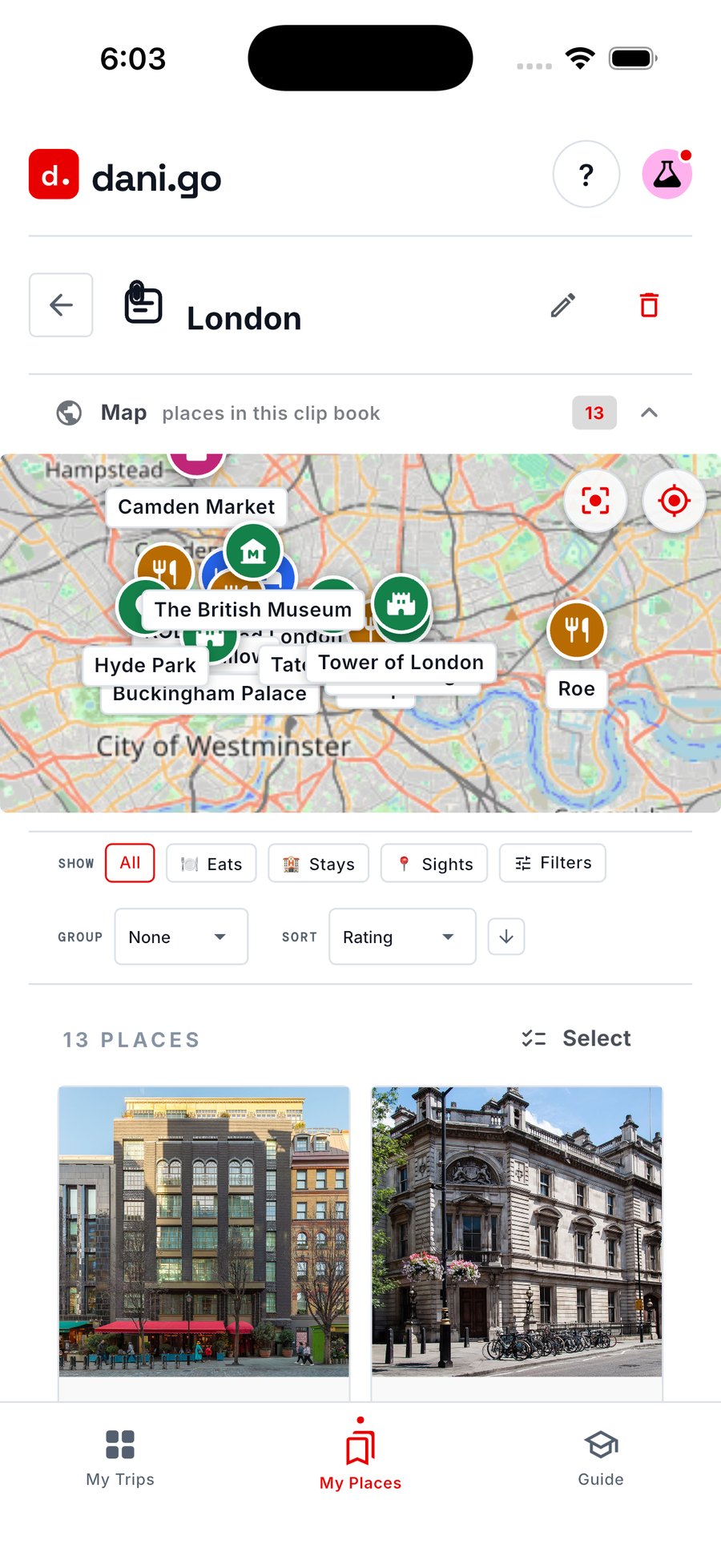
A London Clip Book with its 13 saved places on a map and as photo cards
Search the way you’d ask a friend
“Restaurants in LA.” No keyword syntax, no filter menus to learn. Every result carries its photo, ★ rating, category and full address, and you can save it to a Clip Book or drop it into a trip from the same list. Search sits in My Places, so it works before you have a destination or a date.
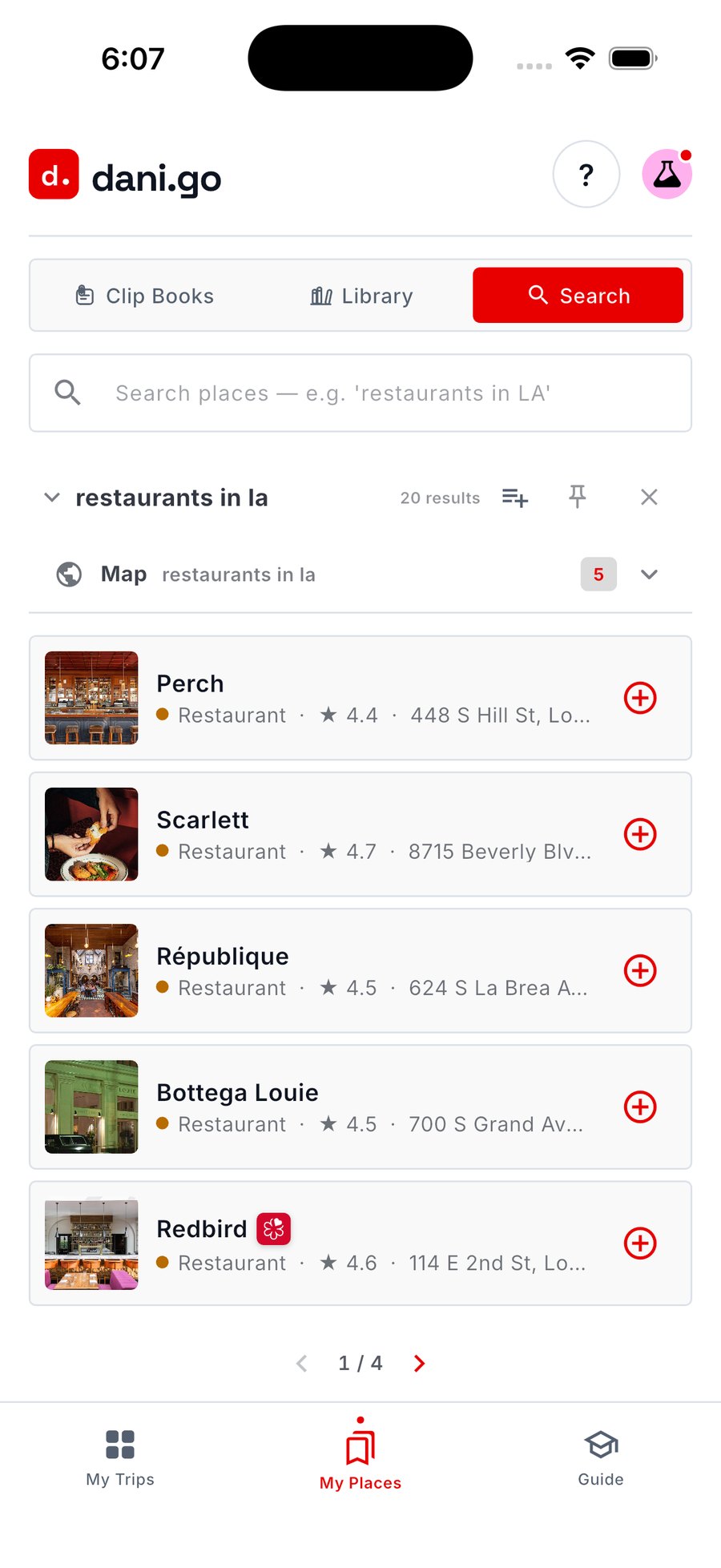
Plain-language place search in My Places, with rated, photographed results
Give your ideas a day to happen
Your trip takes shape one day at a time. Pick a day from the carousel and see it in order — flights, stays, meals and activities, each with its time, rating and address. Add a place from a Clip Book, from search, or by hand; on desktop you can drag a search result straight into the schedule. The day’s places also show up on a map.
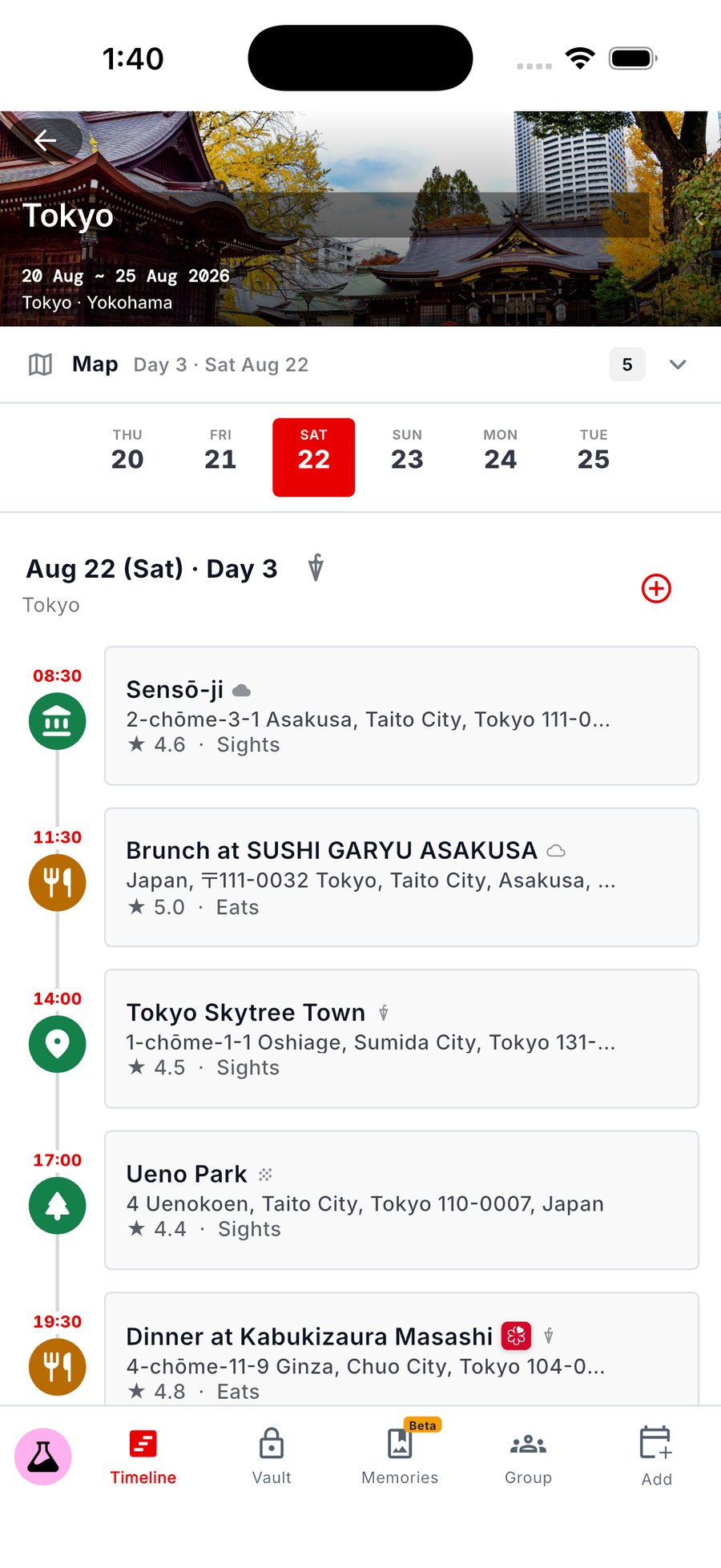
Day 3 of a Tokyo trip: Sensō-ji, brunch, Tokyo Skytree, Ueno Park and dinner, each with a time
Already booked? Bring it with you
Don’t retype anything. Upload a reservation email, a PDF, a screenshot, or paste a plain-text note. Dani reads the content, detects the dates, times and titles, and matches each one to a real place. You review what was found, fix anything read wrong, and confirm — nothing joins your Timeline until you say so, and importing never makes or changes the booking itself.
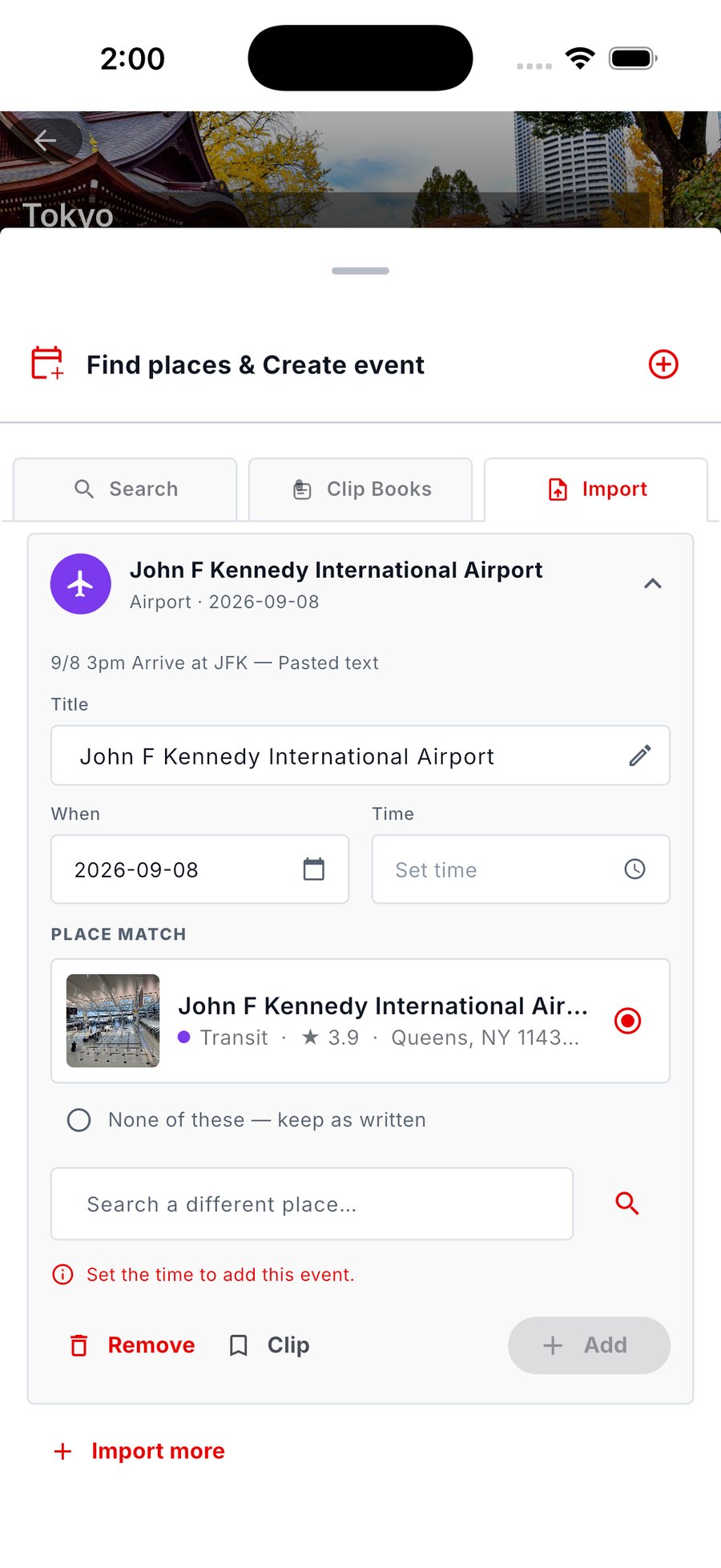
An imported airport arrival being reviewed, with its editable date and the matched place dani found
Travel has details. Give them a home
Reservations and expenses are collected from your itinerary into one list you can check at a glance, confirmation codes included. Alongside them sit the essentials you want close: a packing list, a wish list, documents, a budget and receipts. The packing checklist stays private to you, even on a shared trip.
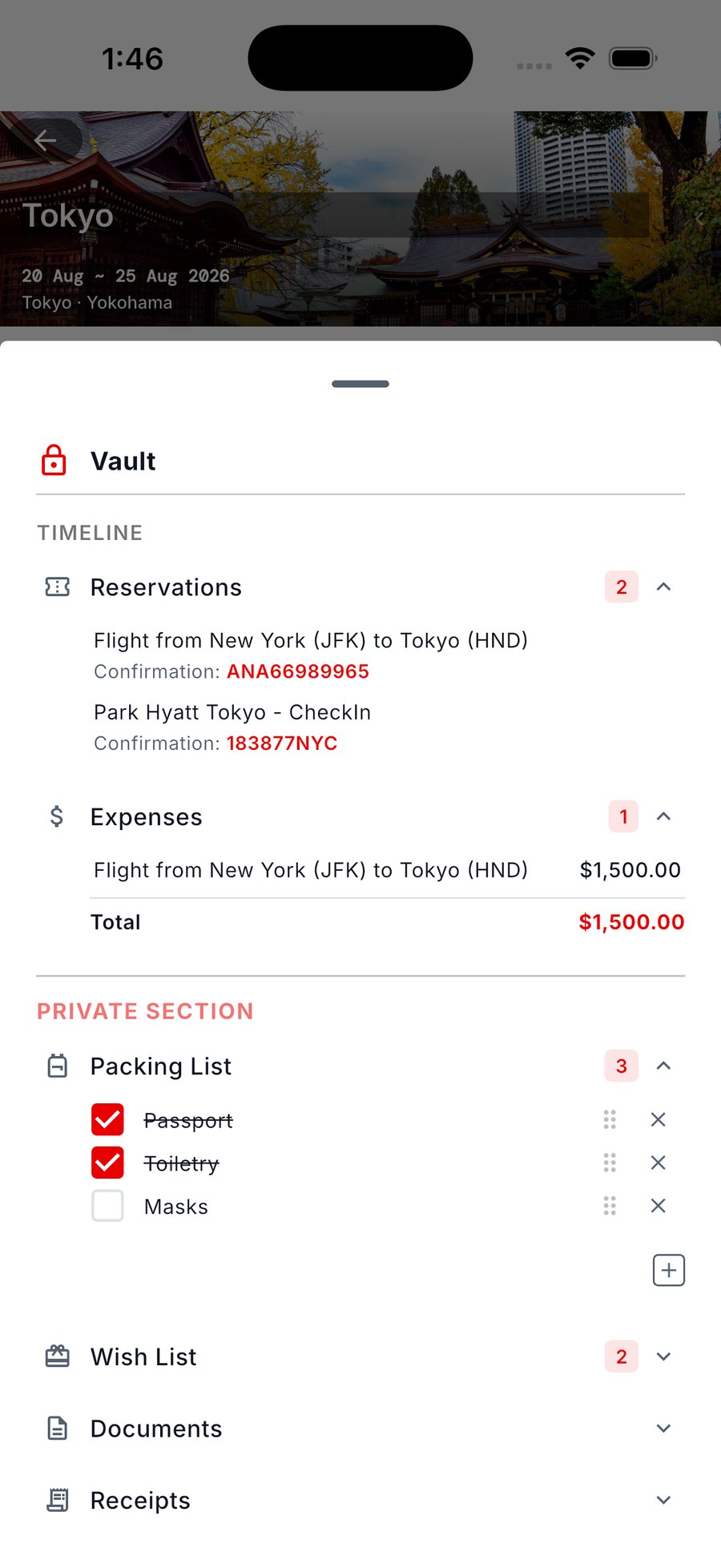
The trip Vault, showing reservations, expenses and a private packing list
A shared trip, a shared plan
Invite the people you’re going with and choose what each of them can do — Admin, Planner, or Viewer who follows along without changing anything. Co-edit the itinerary, start a vote when there are too many good options, keep the conversation in a chat that lives inside the trip, and see who changed what.
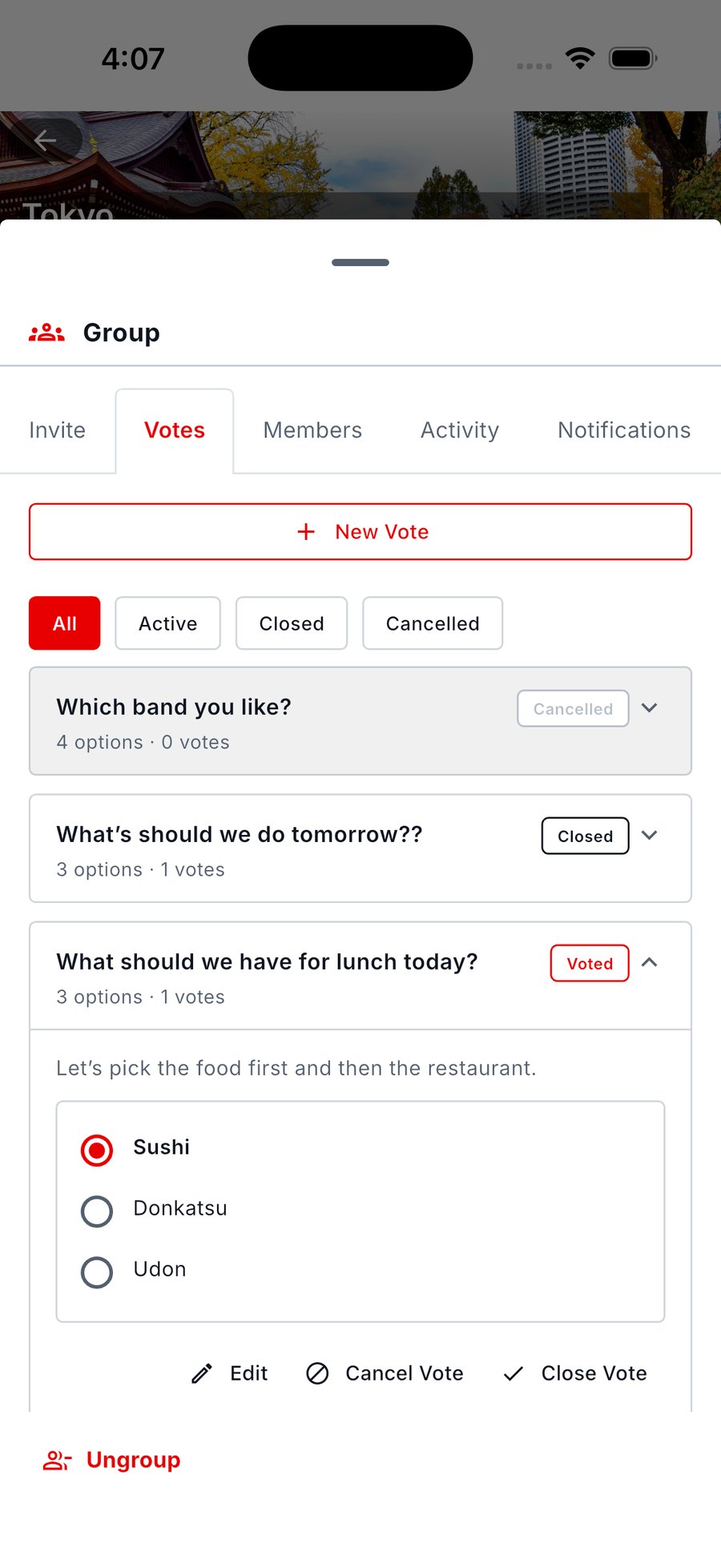
The Group tab with an open vote on where to have lunch and three options to pick from
Your trip, remembered
Write a memory against the day you’re living — a title, a note, the photos you took at that stop. Memories gathers every entry from the trip into one view you can read straight through when you get home. It’s available to everyone in open beta while we refine it.
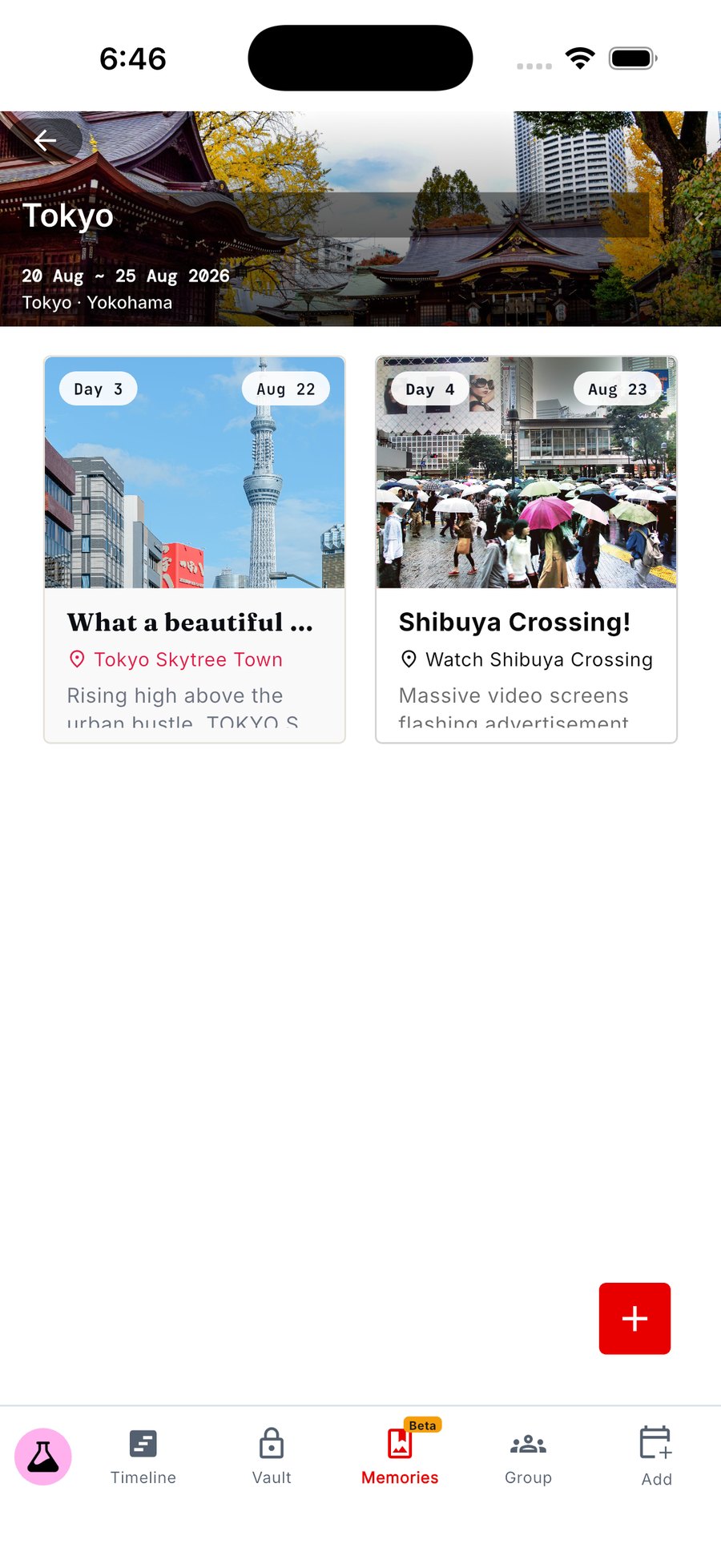
The Memories view: journal cards from day 3 and day 4 of a Tokyo trip
Perfect for
Serial researchers
If you save travel videos and articles you never open again, Library turns that pile into real places, and Clip Books keep them grouped the way you actually think about them.
Groups and families
Roles that mean something, a vote instead of a scrolling argument, and a packing list that stays private to you even on a shared trip.
Travellers with a lot to keep track of
Every booking, document, receipt and expense in one Vault, with the confirmations imported rather than retyped.
Planners who like to decide for themselves
Dani helps with the work of finding places and reading documents. You choose what deserves a place in the trip, and you can add or rearrange anything by hand.
Why we built dani.go
“The trip begins with “what if?” — what if we went there, tried that, took the long way. Travel starts with curiosity, and the planning should make room for it. But the pieces never arrive in order: a video before a destination, a restaurant before a date, reservations in separate emails. We wanted somewhere those pieces could come together without any of them having to wait for a finished plan — and without an app deciding the trip for you. Dani does the finding and the reading. You decide what belongs.”
What it costs
Get started
Starter tokens, free
- A one-time starter token allowance on every new account
- No three-trip limit — create as many trips as you like
- Library, Clip Books, search and My Places
- Timeline, Import, Vault and Group
- Your balance and each action’s cost, visible in the app
- Buy a token pack whenever you want more — no membership needed
Membership
$4.99/mo · $49.99/year
- A recurring token allowance, monthly or annual
- The lowest rate per token — annual lowest of all
- Unused tokens carry over, up to three months’ worth
- One price instead of thinking about top-ups
- Manage or cancel from your account; tokens you bought stay yours